
Think of it as a Google Business Profile for ChatGPT
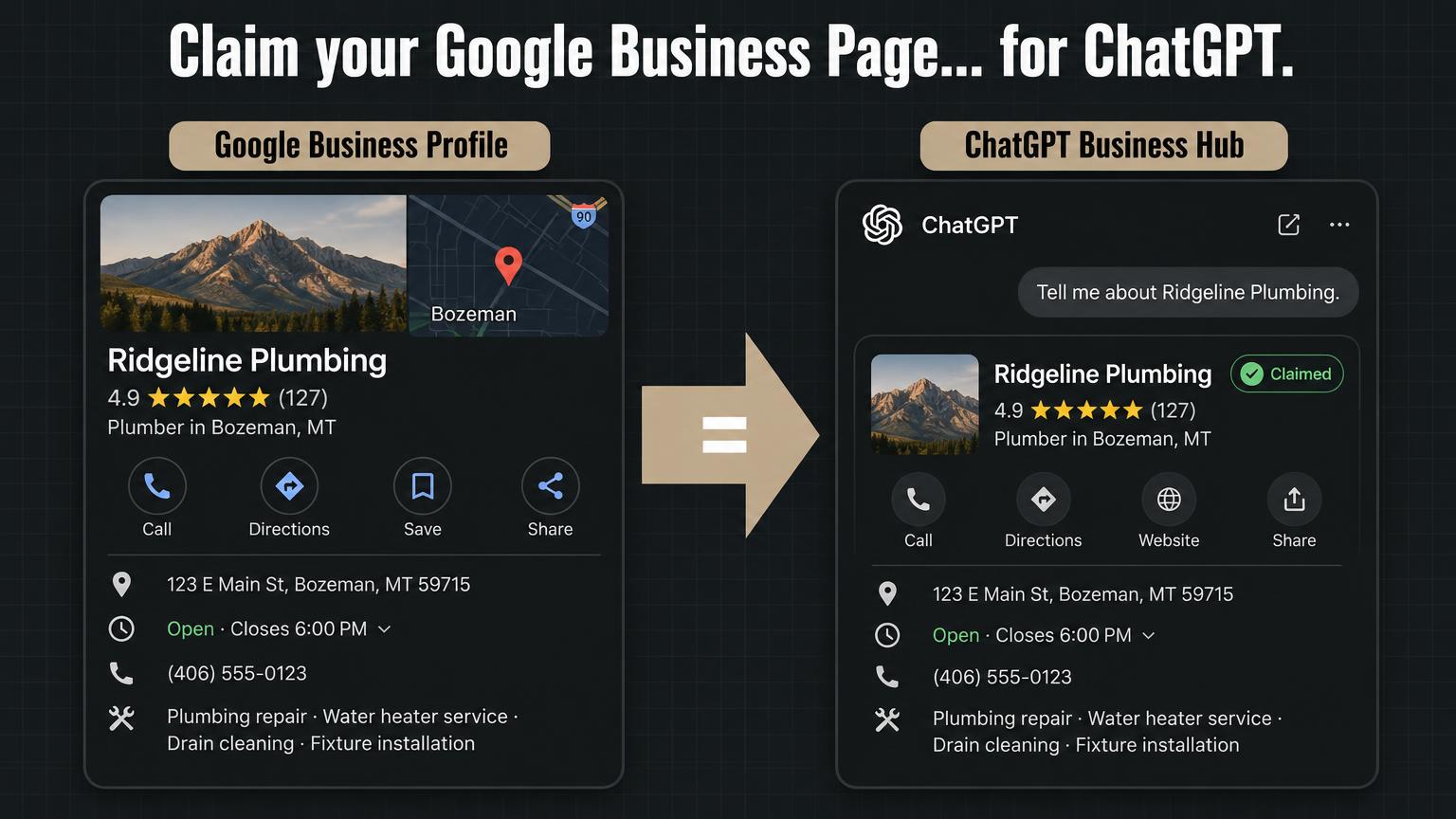
ChatGPT Business Hub lets a business claim the listing ChatGPT already shows for it. Once claimed, you can manage your business information and see insights on how ChatGPT shows your business. If you have ever claimed your Google Business Profile, this will feel familiar.
Here is why it matters for the trades. A homeowner types "who is a good emergency plumber near me with real reviews" into ChatGPT. It answers with a few names. It may show the phone number and hours right there. That homeowner can call you without ever opening your website.
Who can claim a listing right now
This feature is in beta. Eligibility depends on your industry, your location and OpenAI's verification checks. Right now, local businesses can only claim a US listing that ChatGPT already has. If ChatGPT does not have a listing for your shop yet, you may not be able to create one.
If you run a plumbing, HVAC, electrical, roofing, septic, fencing, garage door, junk removal or concrete company with a physical shop or office, check now. Shops with a strong Google Business Profile and plenty of reviews are the most likely to already have a listing.
Step by step: how to claim your trade business on ChatGPT
- Sign in with a work account. Use a shared company login the business will keep long term, like office@yourcompany.com. Not your personal email, and not your office manager's personal account.
- Open Business Hub. Find it in the ChatGPT sidebar, or go straight to chatgpt.com/business-hub.
- Use your invite if you got one. If OpenAI emailed you a claim invitation, click that link and sign in with the same account.
- Otherwise, search for your shop. Search your business name and select your listing.
- Verify ownership. If "Business phone" is offered, choose it, then pick SMS or an automated call to get a code. Make sure someone can actually answer the main line, because call centers and answering services often block these codes.
- Fix your details. Review name, address, phone, hours, services and website. List your real services by name, like "water heater replacement" or "commercial roof repair," not just "plumbing."
Want a printable version? Use our ChatGPT Business Hub checklist for contractors.
Claiming is not the same as getting recommended
This is the part most people will skip. Claiming makes sure ChatGPT has the right details. It does not make ChatGPT pick you over the shop down the road. ChatGPT still relies on your reviews, your Google Business Profile, your website and third party sites when it decides who to recommend.
Figure
Claiming gets you listed. The rest gets you picked.
Step 1 · You control it
Your claimed listing
- Name and address
- Phone number
- Hours
- Services you list
- Website link
Step 2 · You earn it
What ChatGPT weighs
- Review count and recency
- Complete Google Business Profile
- Matching citations and directories
- A page for each service and city
- Mentions on third party sites
ChatGPT recommends your shop
What to watch out for
- Lost access. If the person who claimed the listing leaves, you could lose it. Use a shared work account.
- Mismatched details. Your name, address and phone should match your Google Business Profile, website and directories exactly. A DBA on one and your LLC name on another confuses everyone, including AI.
- Invisible leads. Your current reports will not capture all of this. A customer can see your listing in ChatGPT and call without visiting your website.
- Moving target. It is a beta. Screens, steps and features may change. Check OpenAI's official guide before you start.
What to do after you claim it
- Check your listing insights regularly once you have access.
- Strengthen what ChatGPT pulls from: more reviews, a complete Google Business Profile, and a website with a clear page for each service and each city you work in.
- Ask ChatGPT what your customers ask, like "best HVAC company in [your city]." Note whether you come up and whether the details are right.
What is coming (early and subject to change): OpenAI already offers Business Agents for US online stores and online services, plus advertising. Neither is available for local listings yet, but those are the areas to watch.
This is part of what we do in our Demand Engine work under GEO and AEO, getting trade companies found in AI search, not just Google.