

Most HVAC owners fly their business like a pilot in a thick fog with no dashboard. You’re spending $5,000, $10,000, maybe $30,000 a month on marketing, but when you ask where the jobs came from, your office manager says, "Uh, the internet?"
"The internet" is not an answer. It’s a leak in your bucket.
If you don’t know exactly which dollar produced which furnace install, you aren't marketing-you're gambling. To scale a trades business, you need a feedback loop that tells you which leads are "tire-kickers" and which ones are "emergency-no-heat" goldmines.
This isn't about complex data science. It’s about setting up four specific "checkpoints" so you can stop wasting money on junk and double down on what’s actually ringing the till.
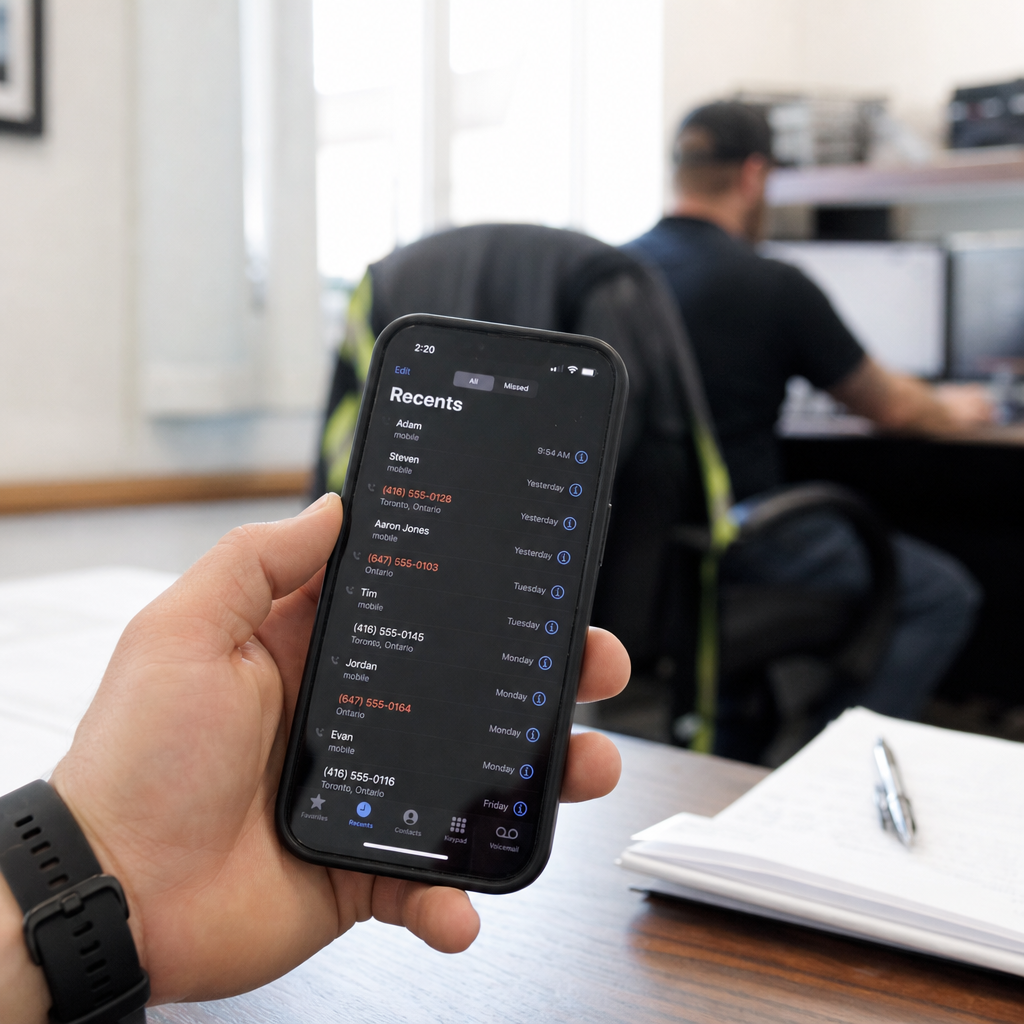
Call Tracking: The "Caller ID" for Your Wallet
90% of your HVAC leads come through the phone. If you’re still using one single phone number for every mailer, truck wrap, and Google ad, you’ve already lost.
You need Dynamic Number Insertion (DNI). Tools like CallRail or ServiceTitan’s internal tracking allow your website to show a different phone number depending on how the customer found you.
- Organic Search: Sees Number A
- Google Ads: Sees Number B
- Facebook Ads: Sees Number C
- Direct/Repeat: Sees Number D
When the phone rings, your dashboard logs exactly which source triggered the call. More importantly, it records the call. If your dispatchers are burning leads because they’re rude or slow, no amount of marketing can fix that. If you're wondering why your HVAC marketing isn't working, the answer is often found in these recordings.
UTM Parameters: Tagging Your Digital Breadcrumbs
Think of a UTM parameter like a GPS tracker you slap on the bumper of every digital ad. It’s a simple string of text added to the end of a URL.
Instead of sending someone to yourhvac.com, your Google Ad sends them to yourhvac.com/?utm_source=google&utm_medium=cpc&utm_campaign=ac-repair.
When they fill out a form, those tags follow them into your CRM. You’ll see that Mrs. Jones didn't just "find you on Google"-she specifically clicked your "High-Efficiency Heat Pump" ad on a Tuesday afternoon.
Marketing Channel Comparison
| Channel | Tracking Method | Cost Per Lead (CPL) Range | Quality Score | | :--- | :--- | :--- | :--- | | Google LSA | Built-in Dashboard | $25 - $80 | High (Ready to buy) | | Google Ads (PPC) | Call Tracking + UTMs | $50 - $150 | Moderate to High | | Facebook Ads | Meta Pixel + Forms | $15 - $40 | Low (Needs nurturing) | | SEO/Organic | DNI Tracking | $30 - $70 (Long-term) | Very High |
Connecting Marketing to the "Sold" Ticket
The biggest mistake HVAC owners make is stopping at "Lead Count."
Leads don't pay the mortgage. Revenue does.
You need to bridge the gap between your marketing software and your CRM (ServiceTitan, Housecall Pro, etc.). This is called Closed-Loop Reporting.
If Google Ads generated 50 leads but only 2 sales, and Local Services Ads (LSA) generated 10 leads but 8 sales-which one is actually better? Without tracking the revenue back to the source, you’d mistakenly think Google Ads was the winner because it was "busier." This is especially crucial when you're trying to figure out Google LSA vs Google Ads and where to put your top-dollar budget.

The "5-Minute Owner Scorecard"
You don’t have time to stare at Google Analytics for three hours. You have a business to run and a crew to manage. You need a weekly scorecard that you can read in the time it takes to finish a cup of coffee.
Every Monday morning, you should look at these five numbers:
- Total Ad Spend: What did I pay out?
- Total Raw Leads: How many times did the phone ring or the form get hit?
- Qualified Leads: How many of those were actual jobs we could book (not robocalls or solicitors)?
- Cost Per Qualified Lead (CPQL): Spend divided by Qualified Leads.
- Booked Revenue: What is the total dollar value of the jobs tied to those leads?
The "Vegas Table" Analogy: Imagine you’re at a casino. There are four different tables. At Table A, you win $100 every time you bet $10. At Table B, you lose $50 every time you bet $10. Tracking is how you identify Table A so you can move all your chips there before the HVAC slow season hits.
Form Tracking: Watching the Silent Leads
Don't ignore the "Contact Us" or "Get an Estimate" forms. Sometimes people are at work and can't call, or they're browsing late at night.
Use Event Tracking in Google Analytics 4 (GA4). This records a "Conversion" every time the "Thank You" page loads after a form submission. If your site gets 1,000 visitors but 0 form fills, your website is a broken bucket. If you get 100 form fills but 0 booked jobs, your follow-up speed is the problem.
Pro-Tip: If you don't respond to a digital form lead within 5 minutes, your chances of closing that job drop by 80%. Tracking helps you see exactly where that ball is being dropped.
Stop Guessing and Start Growing
Tracking isn't about "getting more data." It's about getting the right data so you can make cold, hard decisions. It's the difference between "hoping" you have a good month and "knowing" you will because you've dialed in the right lead sources.
When you see a channel has a CPQL of $200 and your average ticket is only $350, you kill that channel immediately. When you see a channel with a CPQL of $40 that converts into full system replacements, you pour gasoline on that fire.
Stop letting your marketing agency hide behind "brand awareness" and "impressions." You can't deposit "impressions" at the bank. Demand tracking, look at your scorecard weekly, and hold every marketing dollar accountable for bringing back two more.
Ready to stop the guesswork and start seeing which ads actually put trucks in driveways? Hard Labor Marketing builds the dashboards that tell you the truth. Let’s look at your numbers and find the leaks-reach out for a strategy audit today.